
Quality of Earnings analysis that stays in Excel
A QoE is a judgement exercise built on a mechanical one. ZAF Tools does the mechanical part: it scans the P&L and general ledger for one-offs, non-operating items and run-rate issues, proposes adjustments with the source reference, and builds the reported-to-adjusted EBITDA schedule. You keep the judgement.
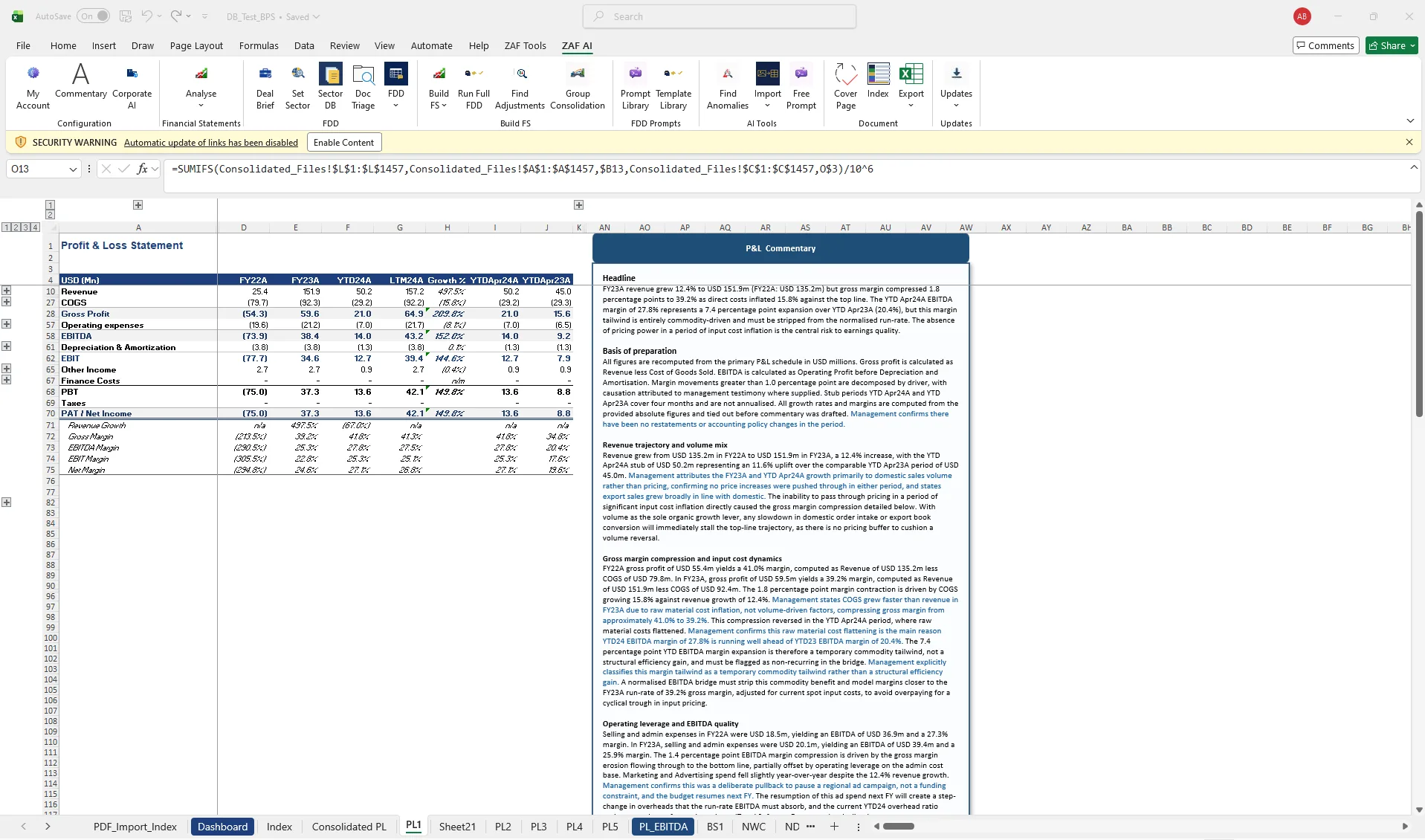
Most QoE work is spent finding the numbers, not deciding about them. Analysts trawl account detail line by line, build the adjustments schedule by hand, then rewrite the same three paragraphs of commentary on every deal. Cloud QoE platforms promise to fix this, but they take the analysis out of Excel, where the databook and the reviewer actually live.
- Reported-to-adjusted EBITDA schedule by period
- Adjustments log with source references and status
- Run-rate and pro forma views
- QoE commentary in your house style
How it works
- Import the trial balance or general ledger and let AI Map suggest the chart of accounts mapping.
- Run Find Adjustments on any sheet. Each candidate comes with the account, the period, the amount and the reason it was flagged.
- Accept, reject or edit candidates. Accepted items flow into the Adjusted EBITDA schedule with a live tie-out to the reported P&L.
- Generate QoE commentary beside the schedule, or open the full report in Word.
Questions about quality of earnings
Does ZAF Tools decide which adjustments are valid?
No. It proposes candidates with evidence. The reviewer accepts or rejects each one, and only accepted items enter the adjusted EBITDA schedule.
Can it work from a general ledger rather than a trial balance?
Yes. Import either. GL-level detail gives Find Adjustments more to work with, especially for one-off and related-party items.
Does the QoE output match my firm’s format?
House Style captures your firm’s formatting once and applies it to every schedule and commentary block.
Related
- EBITDA Bridge — Period-to-period bridge with waterfall chart and a cross-check to the P&L.
- FDD commentary & export — Commentary beside the schedule, partner-grade rewrite, export to Word and PowerPoint.
- Find adjustments & anomalies — AI scans any sheet for one-offs, outliers and inconsistencies.
- Quality of Earnings adjustments template — template
- EBITDA Normalisation Bridge (QoE) — template
- ZAF Tools vs cloud QoE platforms
See it on your own trial balance
Book a 30-minute live demo on your own trial balance, or request a trial for your team.