
ZAF FDD Suite 5.0 · AI financial due diligence, inside Excel
Trial balance in.
FDD databook out.
ZAF maps the TB, builds the statements, runs Quality of Earnings and the EBITDA bridge, and drafts partner-ready commentary. Everything stays in Excel and traces back to source.
Weeks lost to the Excel grind
Trial balance, mapped by hand
Account-by-account mapping into databook format, checked, re-checked, and redone at every TB update.
Statements built from scratch
Formatting and tie-outs eat days before the analysis even starts.
Commentary under pressure
QoE write-ups squeezed into late nights right before delivery.
About 60 hours back on every engagement
Same trial balance. Same client deliverable. The only thing that changes is the wait.
| Task (per engagement) | Manual | With ZAF | Saved |
|---|---|---|---|
| Trial balance import, translation and mapping | 10 h | 1 h | |
| Build P&L, balance sheet, cash flow and schedules | 14 h | 2 h | |
| Quality of Earnings: find and schedule adjustments | 12 h | 3 h | |
| EBITDA bridge and working capital analysis | 8 h | 1.5 h | |
| FDD commentary on P&L, balance sheet, cash flow and NWC | 12 h | 2 h | |
| Management questions list | 4 h | 0.5 h | |
| PDF and scanned statements into Excel | 5 h | 0.5 h | |
| Export to Word and PowerPoint, cover page and index | 6 h | 0.5 h | |
| Total | 71 h | 11 h | 60 h (85%) |
Illustrative estimates for a mid-market buy-side FDD on a single entity, based on the founders' engagement experience. Your numbers depend on data quality and scope.
TB in. Full FDD out. One pass.
Each stage is a button on the ZAF AI ribbon, and the output of one is the input of the next. Run Full FDD runs them all together.
One add-in. Two engines.
ZAF Tools: free Excel tools
Formatting, formula tools, navigation, fill and trace, consolidation, data cleaning and model audit. Works on any workbook, runs offline, no subscription.
ZAF AI: the FDD engine
Statement commentary, Quality of Earnings, a full TB-to-FS build engine, deal document analysis, PDF and image import, and Word, PowerPoint and PDF export.
The diligence worklist, automated
Quality of Earnings
Normalise EBITDA and trace every adjustment to source, inside the databook.
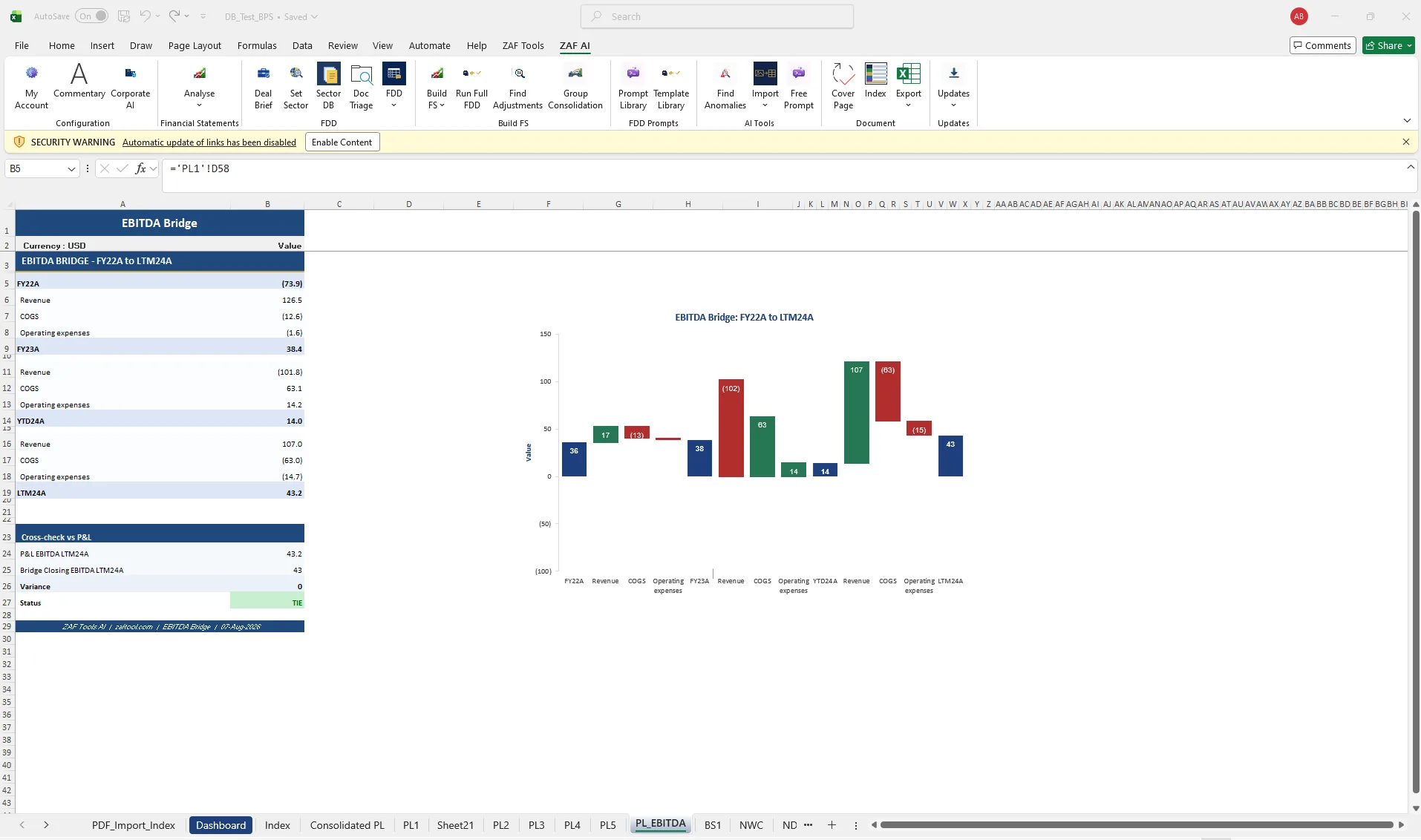
EBITDA Bridge
Period-to-period bridge with waterfall chart and a cross-check to the P&L.
Trial balance mapping
Import any TB, translate it, and let AI suggest the mapping to your hierarchy.
Build financial statements
From mapped TB to P&L, balance sheet, NWC, net debt and cash flow schedules.
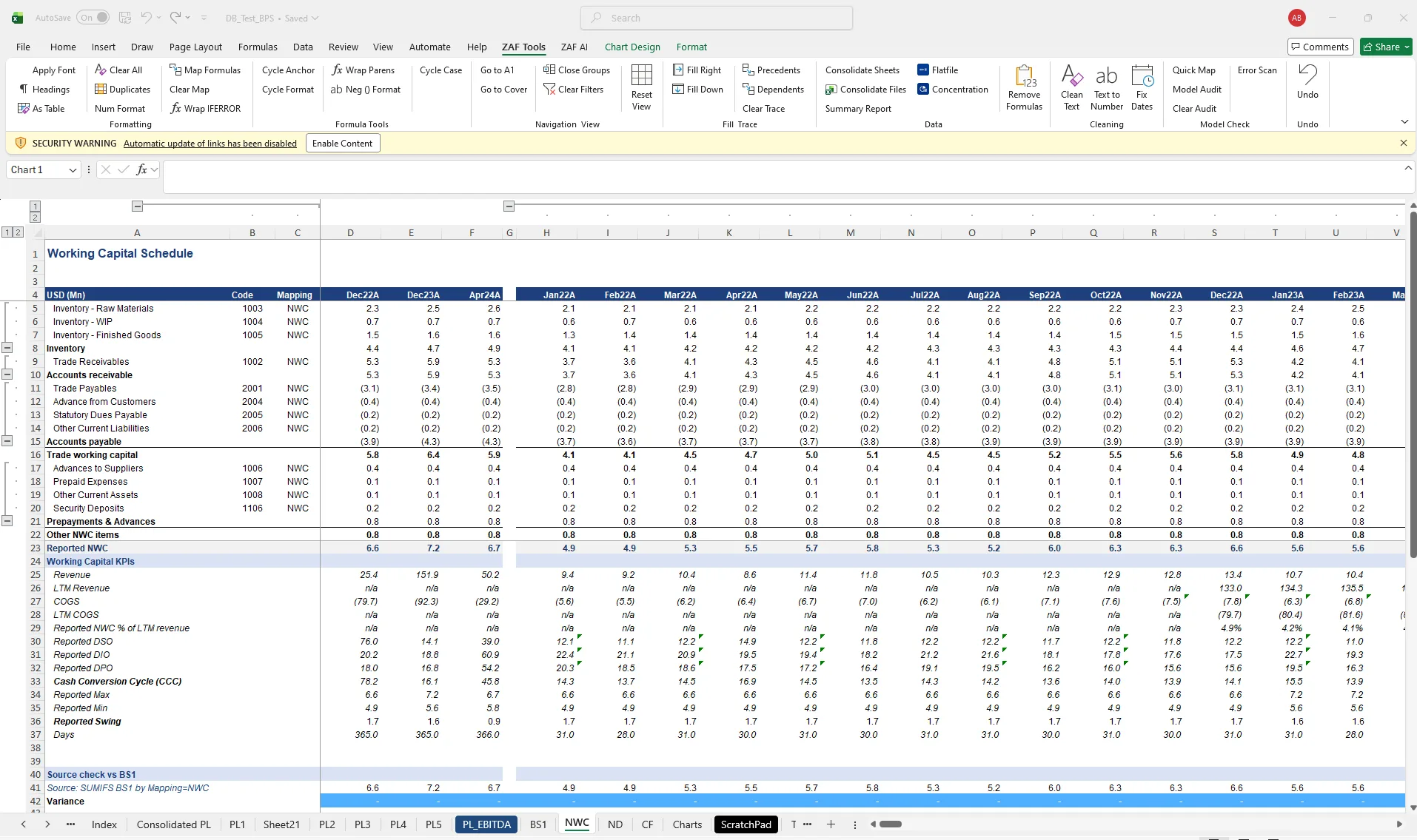
Working capital & net debt
Monthly NWC, DSO/DIO/DPO, seasonality and net debt schedules.
Deal document analysis
CIMs, transcripts and data-room PDFs, triaged and turned into questions.
FDD commentary & export
Commentary beside the schedule, partner-grade rewrite, export to Word and PowerPoint.
Find adjustments & anomalies
AI scans any sheet for one-offs, outliers and inconsistencies.
PDF & image to Excel
Financial statements from scanned PDFs and images into clean tables.
Management questions
FDD-grade management questions generated from the active schedule, logged and tracked.
Group consolidation
Consolidate entity trial balances with intercompany eliminations, inside Excel.
Export to PowerPoint, Word & PDF
Multi-sheet export to PowerPoint and Word with Excel formatting kept, plus cover and index.
38 free Excel tools & model audit
Formula consistency, hardcodes, broken refs, plus 38 free formatting, navigation and cleaning tools.
Commentary written from the schedule, beside the schedule
Select a P&L and ZAF drafts the headline, basis of preparation and driver analysis next to it, quoting the sheet's own figures. Choose concise (350–450 words, slide-ready) or elaborate (1,000+ words). Set the sector once and every commentary applies a sector lens.
The point is not that a model can write. It is that the numbers in the text and the numbers in the databook are the same numbers.
How FDD commentary works →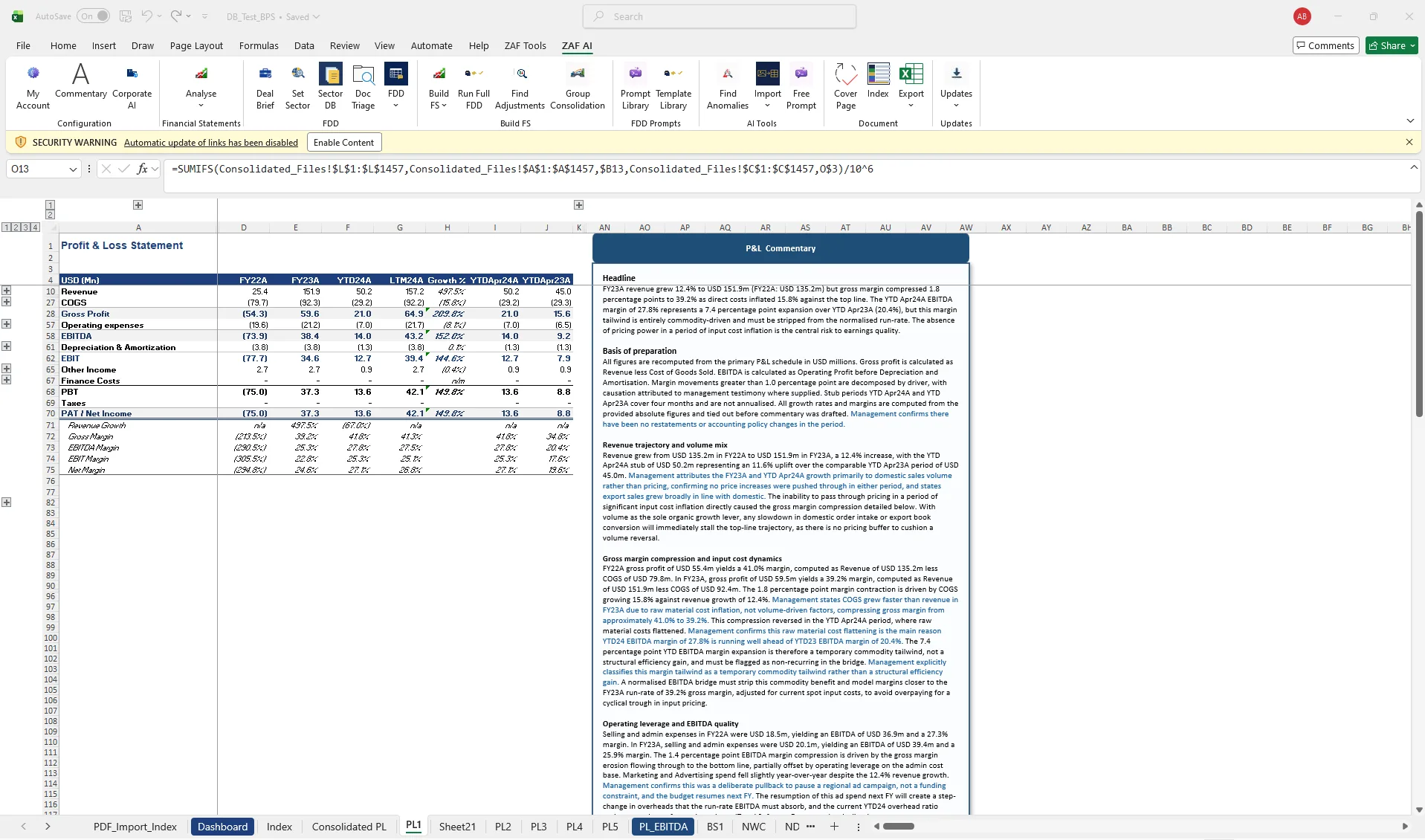
Formula-driven FDD schedules, one click from the ribbon
The ZAF Template Library is a cloud library of FDD schedules you search and insert straight into your workbook. New templates arrive without reinstalling.
EV to Equity Bridge
Reconciles headline enterprise value to the cash payable to the seller for the equity: net debt, debt-like items, the working capital adjustment against the peg, and locked-box leakage.
Net Debt and Debt-like Items
Builds the net debt figure that flows into the EV-to-equity bridge: cash, borrowings, leases and the debt-like items buyers and sellers argue about.
EBITDA Normalisation Bridge (QoE)
Reported EBITDA adjusted to a maintainable, run-rate basis for pricing, with each adjustment categorised and evidenced.
Price-Volume-Mix Analysis
Decomposes the revenue variance between two periods into price, volume, mix and interaction effects, by product.
Built for data clients never want leaked
Company names are detected and masked before every AI call. No client data is stored. Enterprise firms can route every AI call through their own Azure OpenAI tenant.
Security details →Masked
Entity and customer names replaced with tokens before any AI call.
Zero stored
Requests are processed and discarded. Nothing is used for training.
Your tenant
Corporate AI routes calls to your firm's own Azure OpenAI.
Code-signed
A signed .xlam. IT can whitelist the publisher.
Output capacity without headcount
Per analyst, monthly, cancel any time. The 38 ZAF Tools stay free.
Solo
- Full P&L, balance sheet, NWC and cash flow analysis
- AI commentary on every statement
- Management questions generation
- Anomaly and Quality of Earnings detection
Pro
- Everything in Solo
- 5 seats for your team
- Advanced AI on every analysis
- 30–35 full due diligence runs per month
Enterprise
- Everything in Pro
- Unlimited seats
- Dedicated onboarding
- Custom workflows and house style
Common questions
What is ZAF Tools?
ZAF Tools is a Microsoft Excel add-in for financial due diligence. It imports and maps a trial balance, builds the financial statements and FDD databook, runs Quality of Earnings, EBITDA bridge and working capital analysis, drafts FDD commentary and management questions, and exports to Word, PowerPoint and PDF. It also includes 38 free Excel productivity tools.
Who uses ZAF Tools?
Transaction advisory and FDD teams at M&A boutiques, private equity deal teams and CA and accounting firms. Deal teams at Windy Street and BPS Analytics use ZAF on live engagements.
How many hours does ZAF save on an FDD engagement?
On a typical single-entity buy-side FDD, the Excel build (mapping, statements, QoE schedule, commentary, questions and export) falls from roughly 70 hours to about 11 hours in our estimates, around 80% less time on the build. Try the hours saved calculator with your own numbers.
Which Excel versions does ZAF Tools support?
Excel 2016, 2019, 2021 and Microsoft 365 on Windows. Mac support is on the roadmap.
Where does my data go?
The ZAF Tools ribbon (formatting, audit, consolidation) runs entirely on your machine. The ZAF AI ribbon sends the selected range or document to the ZAF backend for analysis and returns the result; nothing is stored beyond the request. Enterprise plans can route AI calls to the firm’s own Azure OpenAI endpoint via Corporate AI. Data Masking lets you anonymise entity names before any AI call.
Does it use VBA macros?
Yes. ZAF Tools is a code-signed .xlam add-in. Your IT team can verify the certificate and whitelist the publisher.
How do I get a trial?
Fill in the trial request form with your work email. Because every ZAF AI run has a real AI cost, trials are reviewed by the founder and sent by email, usually within one business day, with the signed installer, a trial licence and setup notes. The 38 ZAF Tools utilities stay free to use.
What is the refund policy?
Paid plans carry a 14-day money-back guarantee. Email support and it is processed the same week.
Can I use it on more than one device?
A Solo seat covers one active device at a time. Pro includes five seats.
How do I get support?
Email support@zaftool.com or use Support in the Updates menu, which attaches a diagnostic bundle. Founder support is included on every plan.
See it on your own trial balance
Book a 30-minute live demo on your own trial balance, or request a trial for your team.