
Commentary written from the numbers, next to the numbers
Select a schedule and FDD Commentary writes the headline, basis of preparation and driver analysis beside it, citing figures from the sheet. Partner Commentary enriches it with management’s explanations from your notes. Export sends table, commentary or both to Word or PowerPoint.
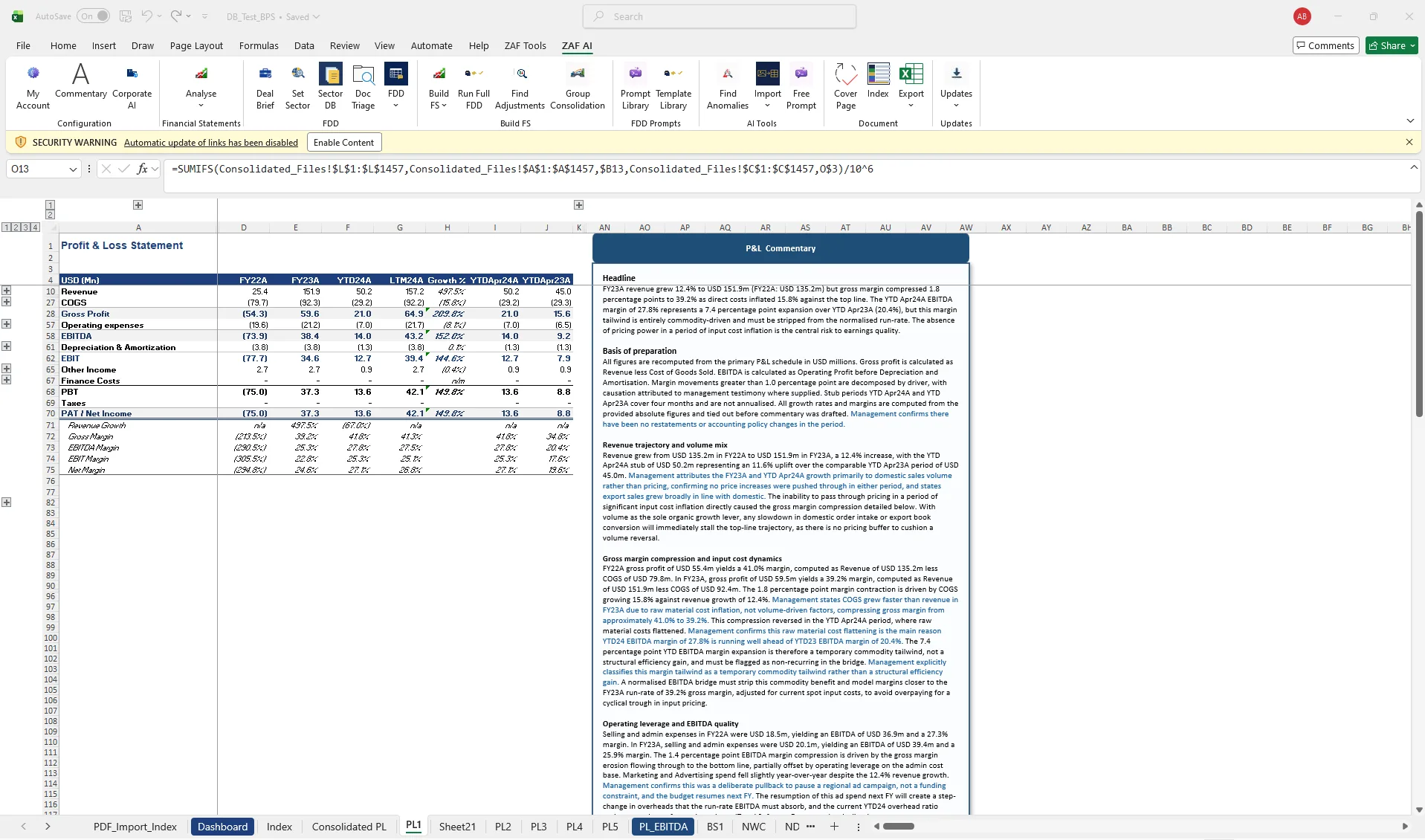
Commentary is where FDD hours go. The first draft is formulaic and the numbers get retyped, so figures in the report drift from the databook.
- Headline, basis of preparation and driver commentary
- Partner-grade enriched version
- Word report with tables and text
- PowerPoint slides per schedule
How it works
- Select the schedule and choose commentary length.
- FDD Commentary drafts beside the selection, quoting the sheet’s figures.
- Add management explanations; Partner Commentary integrates them.
- Export to Word, PowerPoint or PDF, multi-sheet if needed.
Questions about fdd commentary & export
Can I control tone and length?
Yes. Commentary length is a setting, and House Style captures your firm’s phrasing conventions.
Does it invent numbers?
Commentary quotes figures from the selected sheet. Every figure in the text can be traced to a cell.
Related
- Quality of Earnings — Normalise EBITDA and trace every adjustment to source, inside the databook.
- Build financial statements — From mapped TB to P&L, balance sheet, NWC, net debt and cash flow schedules.
- Deal document analysis — CIMs, transcripts and data-room PDFs, triaged and turned into questions.
- Quality of Earnings adjustments template — template
- Management questions bank for FDD — template
- ZAF Tools vs UpSlide
See it on your own trial balance
Book a 30-minute live demo on your own trial balance, or request a trial for your team.